Dashboard & Navigation Guide
This guide reflects the current ConRAM app behavior from the live codebase.
Home Dashboard
The main dashboard is the Home page. It shows:
- Asset Total: Total count of assets in the system.
- Category Summary: Asset type, total count, and checked-out count.
- Checked Out Assets: Current checkout rows with links to asset and staff history.
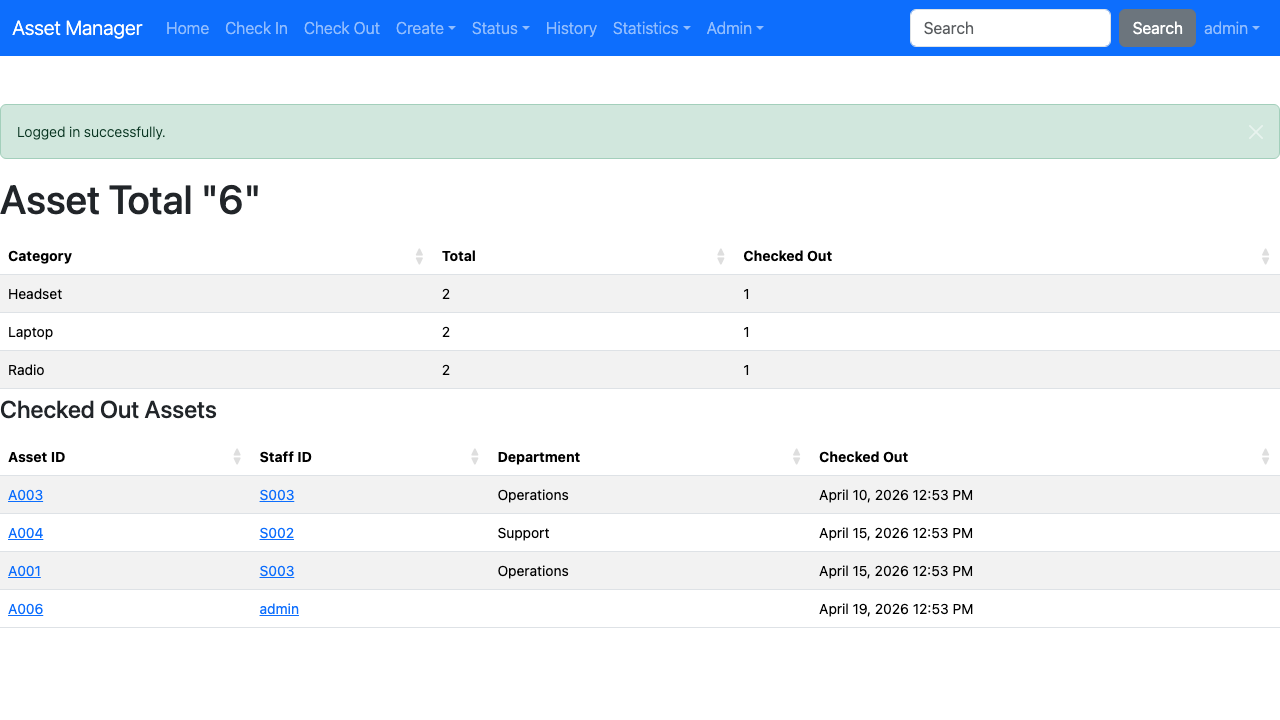
Dashboard Links
From the dashboard tables, you can open detailed history pages for a single asset or a single staff member.
Tips
Tip: Use the top search bar for fast lookups. If exactly one asset or one staff match is found, ConRAM redirects directly to that item history page.